
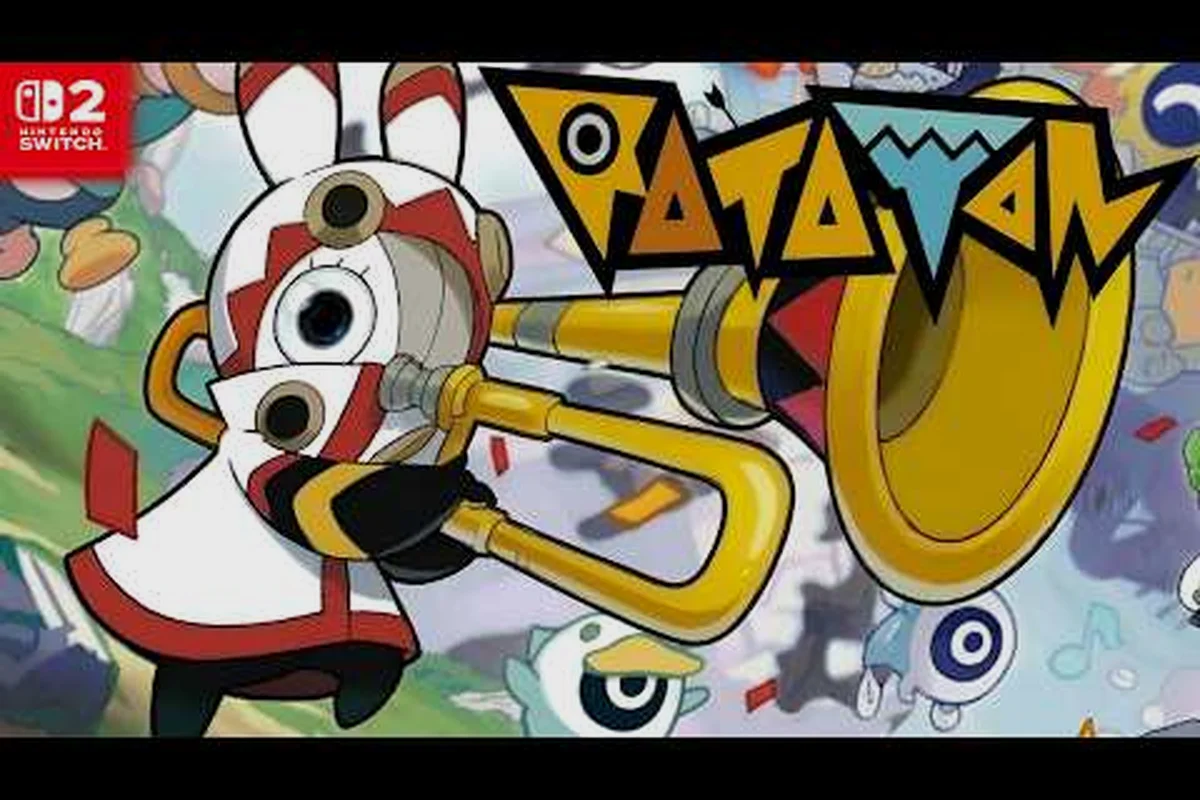
Ratatan Switch 2 multiplayer lets up to four players march, drum, and bash through the rhythm roguelike together, but the setup path on Nintendo's hybrid console differs from PC and from the rival console ecosystem. This guide covers the full Nintendo Switch Online setup, the subscription traps that catch new arrivals, and the connection fixes that get a four-Cobun army back online when lobbies refuse to cohere. Players who already finished the campaign can use the Episode 4 unlock walkthrough to plan the post-game pivot into co-op farming.
What Ratatan Switch 2 Multiplayer Actually Includes
The Switch 2 version of Ratatan is the same rhythm roguelike that launched on PC through Early Access on September 18, 2025 and reached full release on October 14, 2026, according to the developer's Ratatan on Steam store page. On the Switch 2 hardware the online co-op keeps the four-player ceiling and the same shared-army structure, but the matchmaking layer is routed through Nintendo's own services rather than Steam. The official site frames the core loop on the Ratatan official YouTube channel as marching, building a Cobun army, and combining forces with friends through rhythm commands that fire in time with the music.
Online Co-op Versus Local Co-op
Online and local couch co-op behave very differently on Switch 2, and players new to the hardware tend to confuse the two. Online co-op requires a paid subscription because the lobby traffic is relayed through Nintendo's servers, while local co-op uses a single docked Switch 2 and split Joy-Con inputs, so it never touches the network at all. The split between the two matters for anyone who planned to host a party night without an internet connection.
| Mode | Players | Network | Subscription | Best Use |
|---|---|---|---|---|
| Online Co-op | Up to 4 | Required | Nintendo Switch Online | Long progression runs with friends |
| Local Co-op | Up to 4 | Not required | None | Living-room party nights |
| Solo | 1 | Not required | None | Learning the rhythm timings |
| Mixed (2 local + 2 online) | Up to 4 | Required for the online half | Nintendo Switch Online | Larger parties where one host has no Wi-Fi |
Why The Subscription Choice Matters
Ratatan does not run a separate in-game subscription, so every online session on Switch 2 is gated by the player's Nintendo Switch Online tier. The base membership handles standard peer-to-peer traffic, while the Nintendo Switch Online + Expansion Pack tier adds cloud saves and a small library of legacy titles, neither of which changes the actual co-op latency. Choosing the wrong tier is the most common reason new owners assume the multiplayer is broken, when in reality the lobby simply is not being signed.
| NSO Tier | Monthly (USD) | Annual (USD) | Co-op Works | Cloud Saves | Expansion Pack Titles |
|---|---|---|---|---|---|
| Individual | 3.99 | 19.99 | Yes | No | No |
| Family | 7.99 | 34.99 | Yes | Yes (per account) | No |
| Individual + Expansion Pack | 8.99 | 49.99 | Yes | Yes | Yes |
| Family + Expansion Pack | 14.99 | 79.99 | Yes | Yes | Yes |
Setting Up Nintendo Switch Online For Ratatan
The setup path is short but it is also strict about the order of operations, because Ratatan reads the NSO sign-in status the moment the lobby screen loads. Skipping a step usually produces a generic "unable to connect" error rather than a clear message about which piece is missing, which is why the process is worth walking through once before queuing with friends.
Account And Console Preparation
Before opening Ratatan, confirm the Switch 2 profile is tied to a Nintendo Account and that the account carries an active NSO membership. The console-level sign-in lives under System Settings → Users, while the membership itself is managed at the Nintendo Account website and is independent of the console's eShop region. Players who bought a physical cartridge and only created their Nintendo Account the same day often discover the membership grace period has not yet synced, which is why a hard reboot of the console is recommended after redeeming any new code.
-
Open System Settings → Users and confirm the active profile shows a Nintendo Account email
-
Open the eShop, tap the profile picture, and verify Nintendo Switch Online status reads "Member"
-
Reboot the Switch 2 once after a fresh redemption to force the entitlement cache to refresh
-
Plug the console into Ethernet if possible, since rhythm timing is sensitive to jitter
In-Game Lobby Walkthrough
Once the account is verified, the in-game flow is short. From the title screen, Online Co-op is the third option below Solo and Local Co-op, and selecting it triggers the NSO handshake. If the handshake fails the game returns to the title screen rather than showing a partial lobby, which is the visual cue that the membership check did not pass.
| Step | Action | Expected Result |
|---|---|---|
| 1 | Select Online Co-op on the title screen | NSO overlay appears briefly |
| 2 | Confirm the host's Nintendo Account nickname | Lobby list populates after 3-5 seconds |
| 3 | Invite friends via the Friend Code or the local friend list | Invites show a drum icon in the recipient's inbox |
| 4 | Choose stage and difficulty | All four players must confirm before launch |
| 5 | Run the rhythm phase together | Desync kicks a player back to the lobby |
Players who prefer to host on a different platform should read the cross-platform Ratatan multiplayer guide for the matching caveats.
Cross-Subscription Differences Across Platforms
Ratatan Switch 2 multiplayer, Ratatan Xbox multiplayer, and Ratatan PlayStation Plus all gate the same online co-op behind their respective platform subscriptions. Each ecosystem bills differently, so players juggling two consoles often pay for features they do not use, and the rhythm-driven nature of the game amplifies any input lag that a cheaper tier introduces.
Pricing And Feature Comparison
| Platform | Required Subscription | Tier Used For Co-op | Approx. Annual Cost (USD) | Crossplay With Switch 2 |
|---|---|---|---|---|
| Nintendo Switch 2 | Nintendo Switch Online | Individual or Family | 19.99 – 34.99 | No (console-exclusive) |
| Xbox Series X|S | Ratatan Xbox Game Pass online equivalent | Xbox Live Gold / Game Pass Core | 59.99 (Core annual) | No |
| PlayStation 5 | Ratatan PlayStation Plus | Essential or Extra | 59.99 (Essential) | No |
| PC (Steam) | None for base co-op | N/A | 0.00 | No |
The lack of crossplay is consistent across the developer materials reviewed, and it is the single biggest reason a four-person group needs to agree on one platform before starting a long run. Anyone planning a session across two consoles should manage expectations: the lobbies will not see each other, and friend codes do not bridge ecosystems.
When Each Subscription Pays Off
The math favors a Family membership on Switch 2 because up to eight Nintendo Accounts share the same plan, which spreads the per-player cost below the price of a single month of Xbox Live Gold. Solo players who only occasionally queue online often find that buying a 30-day Individual pass during a sale and pausing it the rest of the year is cheaper than an annual plan. Players who want both Ratatan and the wider Nintendo library usually upgrade to the Expansion Pack tier, but the co-op experience itself does not change, so the decision should be driven by what else the player plays, not by Ratatan alone.
Fixing Switch 2 Multiplayer Connection Errors
Even with a healthy subscription, Ratatan multiplayer connection issues show up in three predictable shapes: lobbies that never appear, lobbies that close themselves after a few seconds, and lobbies that boot a player mid-rhythm phase. Each shape has a different root cause, and the fixes below are ordered from the simplest check to the deepest network change. None of these steps require contacting Nintendo support, and most players resolve the issue in under ten minutes.
Symptom-To-Fix Map
| Symptom | Most Likely Cause | First Fix | Second Fix | Last Resort |
|---|---|---|---|---|
| Lobby never appears | NSO entitlement not refreshed | Reboot Switch 2 | Re-download the Ratatan update | Re-redeem the membership |
| Lobby closes in 3-5 seconds | NAT type C or below | Forward UDP 1-65535 on the router | Switch the console to a wired adapter | Host the lobby on a different network |
| Player kicked during rhythm | Packet loss above 2% | Pause downloads on other devices | Move closer to the Wi-Fi router | Switch the router to 5 GHz only |
| One player sees a different stage | Save data version mismatch | Update the game on every console | Match the region of all accounts | Delete and re-download the local save |
| Friends list is empty | Parental Controls restrictions | Check Restrictions in System Settings | Confirm friends list is set to public | Recreate the friend link |
The Ratatan community has also flagged that the official Discord server is the fastest place to confirm whether a connection issue is local or part of a wider outage, because the developer team posts incident reports there before any other channel.
Network Tweaks That Actually Move The Needle
Rhythm games are unusually sensitive to jitter, so a stable 30 Mbps connection still underperforms a stable 10 Mbps line in this title. The two router changes that consistently help are reserving a DHCP lease for the Switch 2's MAC address (so the NAT does not churn mid-session) and switching Quality of Service to prioritize the console's traffic. Players who own a managed switch can additionally cap outbound traffic on other devices, which prevents a family member's 4K stream from stealing bandwidth at the wrong moment.
| Setting | Recommended Value | Why It Matters |
|---|---|---|
| NAT Type | A or B | Reduces handshake time for the lobby |
| QoS Priority | High for Switch 2 | Keeps the rhythm input queue fed |
| 5 GHz Wi-Fi | Enabled, 80 MHz channel | Cuts jitter in half vs. 2.4 GHz |
| UPnP | Enabled | Avoids manual port forwarding |
| IPv6 | Disabled on the console | Some ISPs drop IPv6 mid-session |
Advanced Tips For Stable Ratatan Online Sessions
Once the basics are dialed in, a few session-management habits separate the lobbies that finish a full run from the ones that collapse in the third act. These tips lean on the same rhythm discipline the game teaches in solo, but they apply it to a group setting where four different timing patterns need to lock onto the same beat. Players who want a deeper mechanical understanding can pair this section with the weapon comparison chart to optimize each Cobun's role.
Switch 2 Session Pre-Flight Checks
A four-minute pre-run ritual saves a four-hour run from falling apart at the boss phase. The host should walk the lobby through this checklist in voice chat before queuing, and the rhythm command timing should be tested in the practice arena rather than the first real stage.
| Check | Owner | Pass Condition |
|---|---|---|
| Subscription active on every profile | Each player | NSO status shows "Member" |
| Game version identical | Each player | Title screen shows the same build number |
| Save region matches | Each player | All accounts set to the same eShop region |
| Voice chat tested | Host | All four players can hear each other |
| Practice arena cleared | Each player | All four can hold a clean rhythm for 30 seconds |
Mid-Run Recovery
When a player does drop mid-run, the lobby has a 90-second reconnect window during which the other three players can hold position. The host should issue a single rhythm command in unison to freeze the AI, which buys time and signals the dropped player to rejoin. Sessions that ignore this rhythm and instead rush forward almost always lose a second player, because the dropped player's Cobuns despawn and shift the balance. The same patience rule is covered from a different angle in the offline mode strategy article, where single-player carries the same beat discipline in a different context.
| Drop Type | Reconnect Window | Best Action | Worst Action |
|---|---|---|---|
| Brief network blip | 90 seconds | Hold rhythm, wait | Continue forward |
| Full disconnect | 90 seconds | Pause at a checkpoint | Restart the run |
| Save corruption | None | Back out to title screen | Force-quit the game |
| Desync without a drop | None | All players return to lobby | Continue without the desynced player |
The release schedule for the next patch, including any timing changes to the lobby grace period, is tracked on the platform release hub along with the broader multi-platform rollout.
Frequently Asked Questions
Does Ratatan Switch 2 multiplayer need Nintendo Switch Online?
Yes. The Switch 2 version routes all co-op traffic through Nintendo's servers, so an active Nintendo Switch Online membership is required for the Online Co-op option on the title screen. Local Co-op and Solo both work without any subscription, which makes them a good fallback when the membership lapses or the network is unstable.
Can Ratatan Xbox multiplayer or PS5 players join a Switch 2 lobby?
No, the game does not support crossplay between Switch 2, Xbox, and PlayStation 5. Each platform runs its own matchmaking layer, and friend codes do not bridge ecosystems. A four-player group needs to pick a single platform before starting a long run, otherwise the lobby searches will never find each other.
What is the cheapest way to get Ratatan PlayStation Plus and Xbox co-op working?
The cheapest reliable path on either platform is the annual Essential tier on PlayStation Plus or the annual Game Pass Core on Xbox, because both unlock the online services Ratatan relies on. Monthly passes cost more per year and only make sense for players who queue online two or three times a year. Family plans on either console split the cost further when more than one player uses the same household.
How do I fix Ratatan multiplayer connection issues that keep dropping one player?
Start with the router: enable UPnP, reserve a DHCP lease for the Switch 2, and switch the console to 5 GHz Wi-Fi. If drops continue, run a wired Ethernet adapter and pause any background downloads on other devices. Finally check the official Discord for any live incident, because the developer posts outage notices there before any other channel.
Can I keep my Ratatan progression if I switch from solo to online co-op?
Yes, but the save is profile-scoped, so the same Nintendo Account must be signed in on the console you want to play on. Cloud saves are part of the Nintendo Switch Online + Expansion Pack tier, and they let a save move between two Switch 2 consoles on the same account. Without cloud saves, the progression is locked to the console that created the save.